Home
Open to a room, not a form
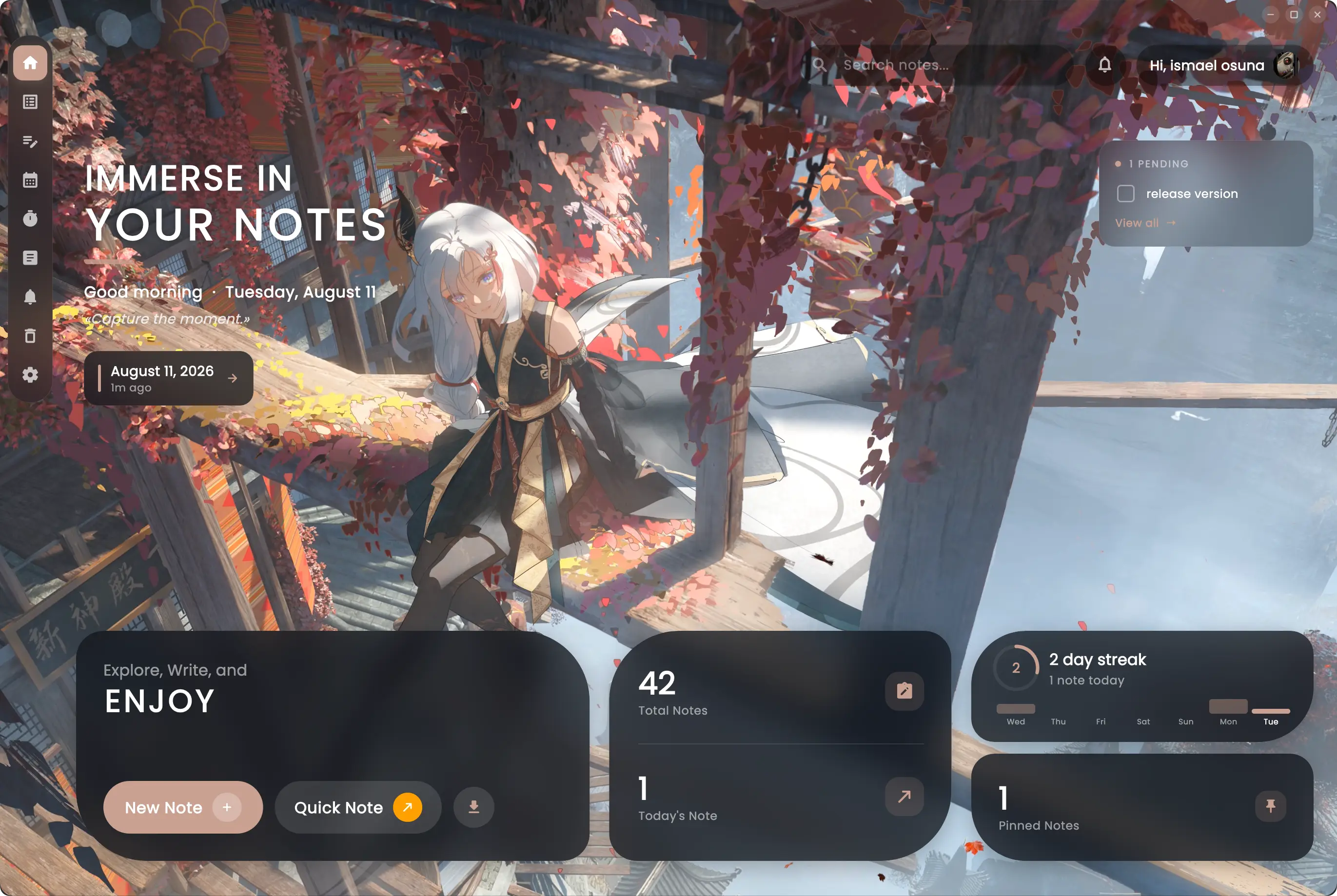
Today's note, your writing streak, what you were last editing and anything still pending — all against a backdrop you chose. Everything one click away, nothing demanding attention.
Markdown notes with live preview, links between your pages, a note for every day and a focus timer — kept as plain files you can take with you.
Windows · macOS · Linux · v1.63.0
Live preview
See it as you type
Linked notes
Type @ to connect
Daily pages
Ready when you open
Mermaid diagrams
Rendered as you write
Built for people who write every day and want their words to stay theirs — plain Markdown on disk, no lock-in, no subscription.
The full GitHub flavour: tables, task lists, footnotes, callouts, syntax-highlighted code and emoji shortcodes. Live preview beside you, or split the view and watch both at once. What you type is exactly what gets stored — no proprietary format between you and your words.
Write a mermaid block and watch it become a flowchart, a sequence diagram, a state machine, a gantt chart, a pie or a mindmap. Click any diagram to open it full screen and zoom in. It renders inside the app — no browser, no export step, no account with a diagram service.
Type @ and pick a note to drop a link right into your text. Follow it with a click and your thinking starts forming a shape instead of a pile.
Every link draws an edge. Open the graph to see your whole library laid out, or toggle the panel beside the editor to see just what the note in front of you connects to. Drag notes around, focus one to dim the rest, click through to open it.
Today's note is waiting when you open the app, titled and ready. Browse the whole month on a calendar and find the day you are looking for.
Search once and reach your notes and your Markdown files together, each result labelled and opened where it lives. No remembering which side you filed it under.
Group notes into colour-coded projects, nest them as deep as your thinking needs, and filter the sidebar down to just the branch you care about.
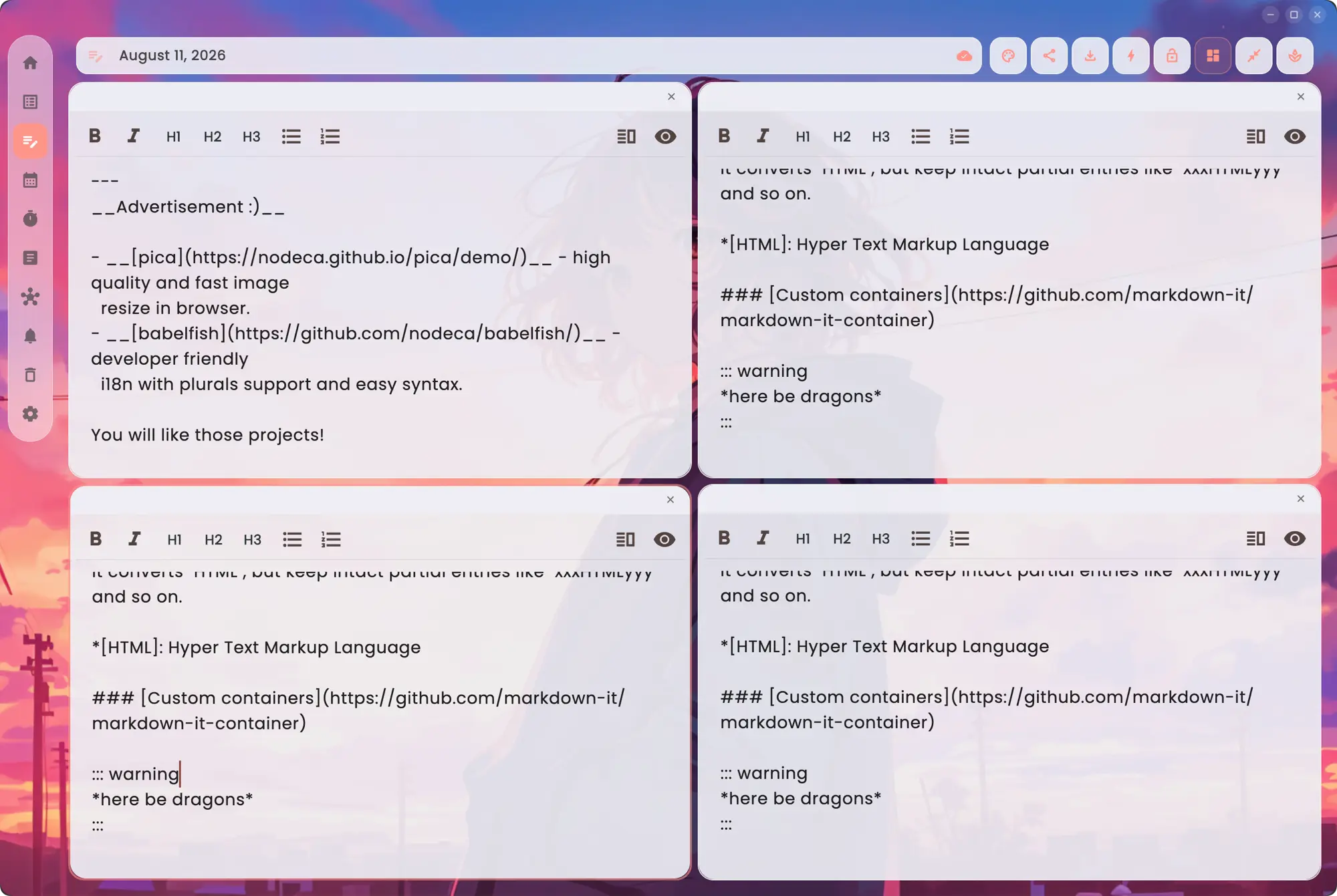
Tile the window into a grid and work across notes side by side. Every pane keeps its own toolbar, preview toggle and auto-save, so drafting one note out of three others stops meaning constant tab-switching.
Start a timer against a project and see the week add up. Writing stats keep a streak from the days you actually wrote, not the days you happened to open the app.
Export the whole library to a folder of .md files, folders and all, or save one note wherever you like. Import a folder back just as easily. Your notes outlive the app.
Sign in and your notes follow you across devices. Skip it and everything stays on your machine, in a local database. The choice is yours, and it is reversible.
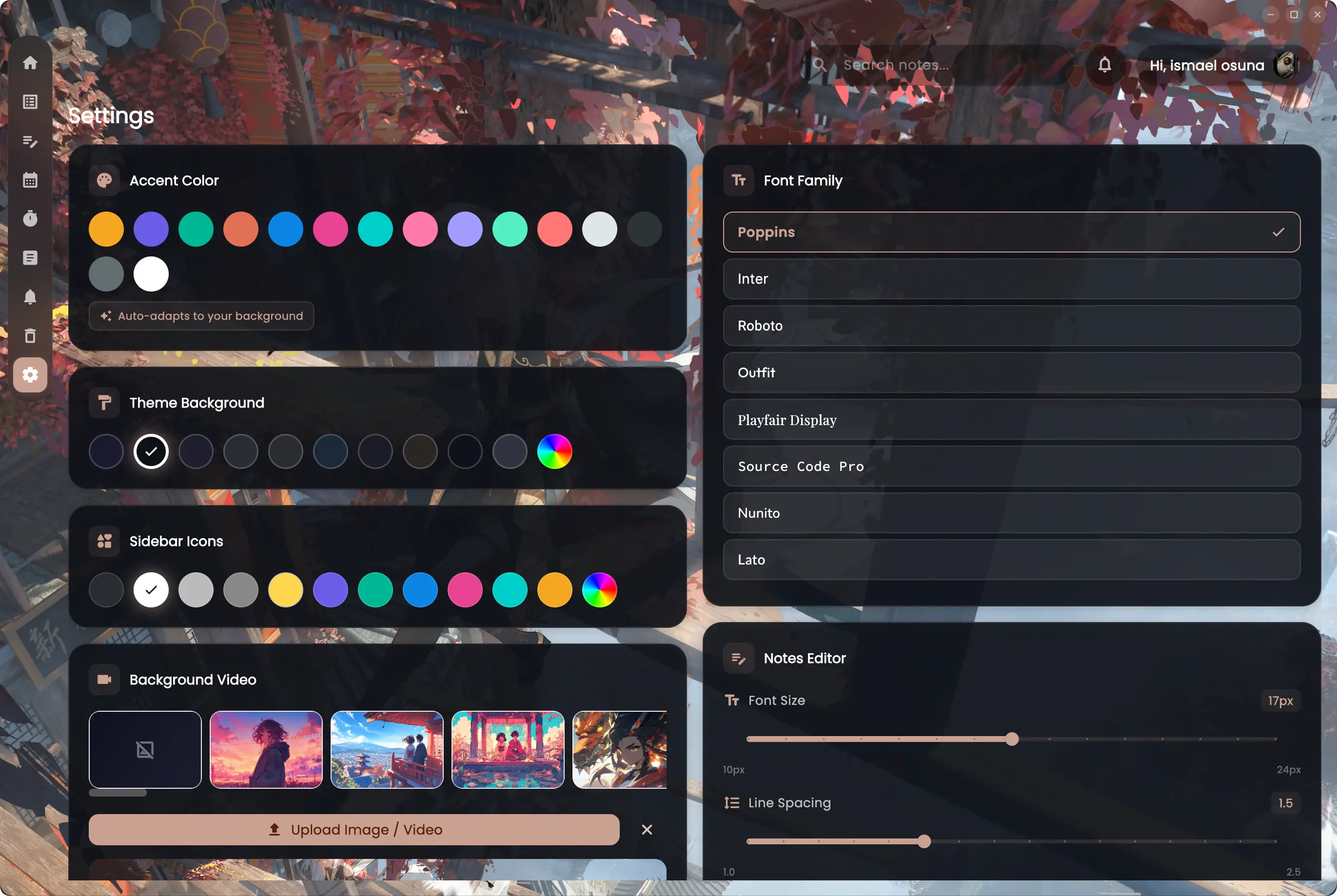
Thirteen accent colours, your own wallpaper or a looping video behind the glass, seven fonts, and type sizing that stays out of your way. The accent even adapts itself to your background.
Graph
Every link you make draws an edge. Notes you keep returning to grow larger and brighter than the ones you wrote once — so the structure you have been building without noticing becomes something you can actually look at.
Six screens, six things it does well.
Home
Today's note, your writing streak, what you were last editing and anything still pending — all against a backdrop you chose. Everything one click away, nothing demanding attention.
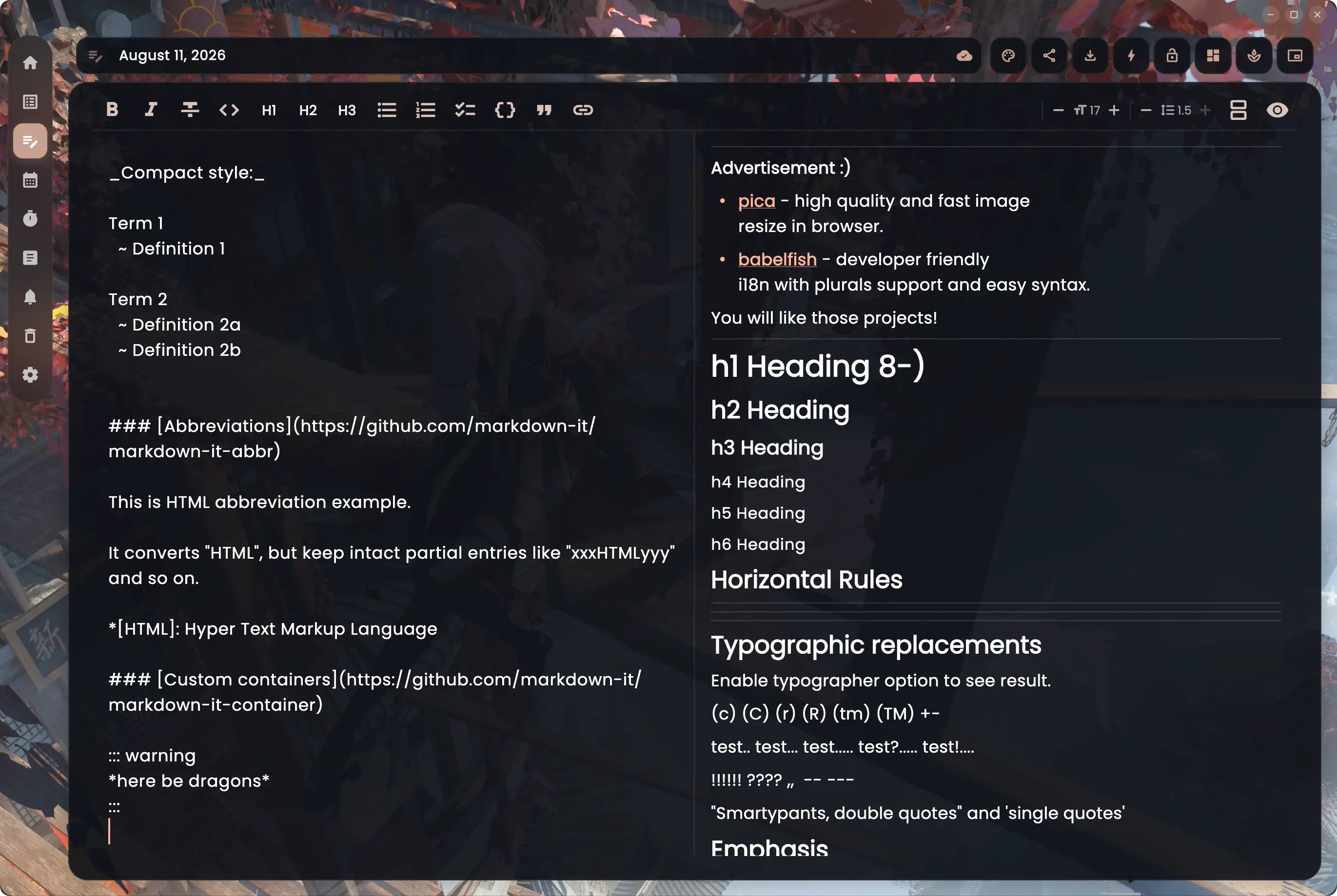
Editor
Full Markdown: headings, task lists, tables, footnotes, code blocks with syntax highlighting. Split the view to see both, or press Cmd/Ctrl+E to flip between them.
Calendar
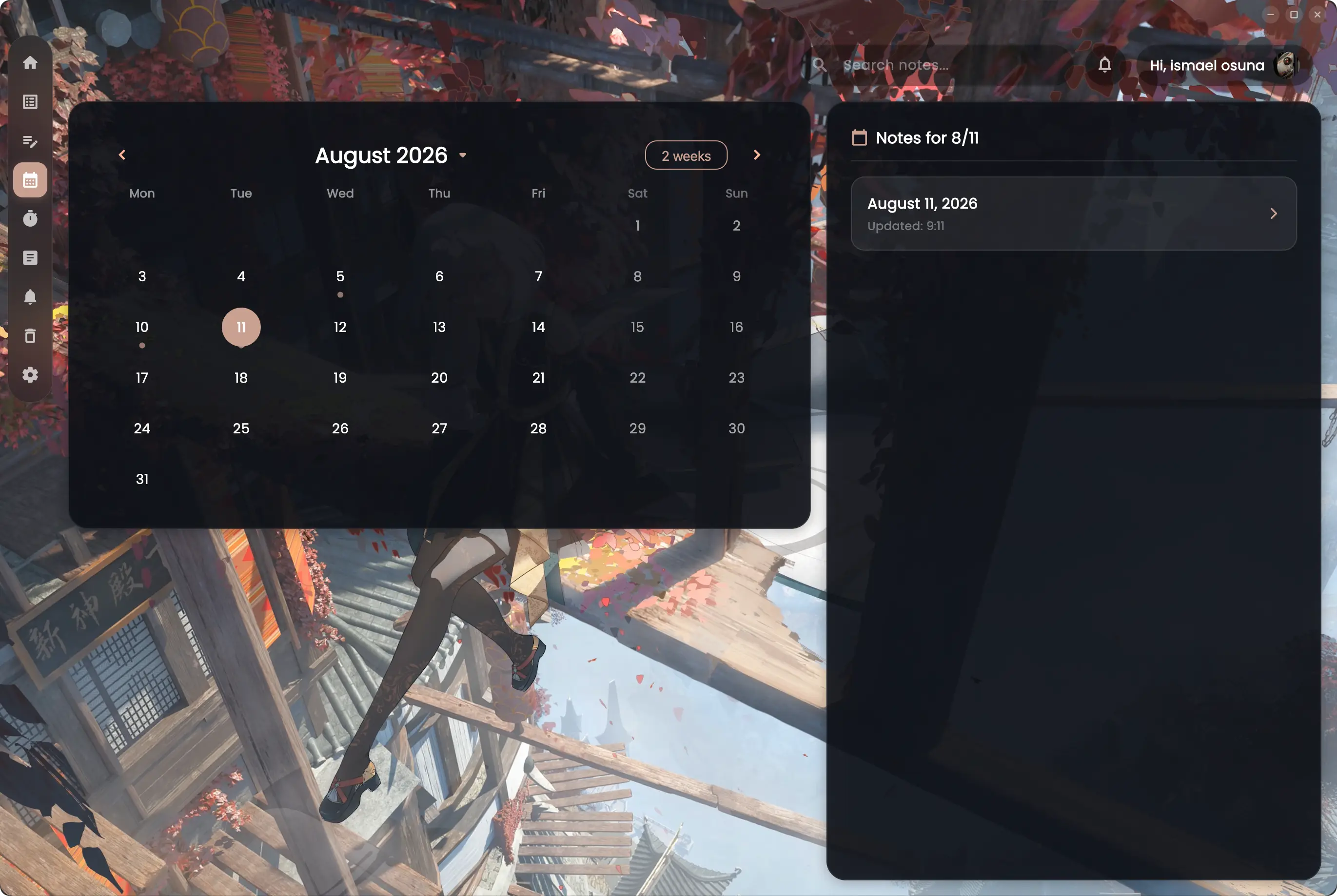
Every daily note lands on the calendar. Dots mark the days you wrote, so a month of work is legible at a glance and any day is one click away.
Focus timer
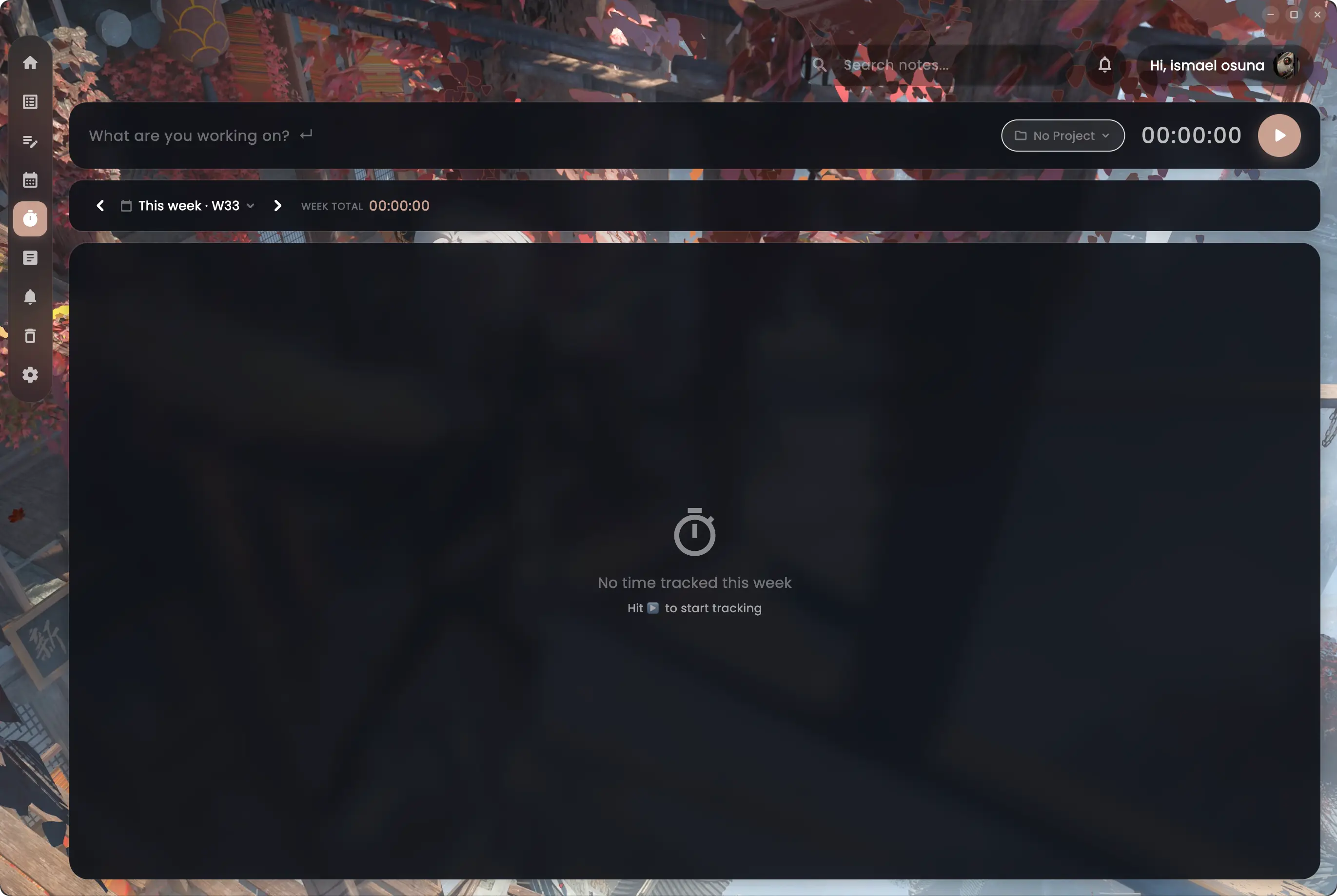
Start a timer against a project, let it run while you write, and watch the week total build. Your focus sessions live in the same app as the work itself.
Tiling
Split the window into a grid and edit several notes side by side. Each pane keeps its own toolbar, its own preview toggle and its own auto-save — useful when you are drafting one note out of three others.
Personalise
Thirteen accent colours that can adapt themselves to your background, your own image or looping video behind the glass, seven fonts, and type sizing tuned to your eyes.
Free, open source and installed in a minute. No account, no trial, nothing to cancel later.
The releases are not signed with a developer certificate. Both Apple and Microsoft charge a yearly subscription for one, and NoteX is free, so the builds go out unsigned and the operating system says it cannot vouch for them. It is a statement about a receipt, not about the code — which you can read, and build yourself, in full.
It says "Apple could not verify NoteX.app is free of malware."
On macOS 15 and later, right-clicking the app and choosing Open no longer works — Apple removed that route. The Privacy & Security panel is the way.
It says "Windows protected your PC."
Version 1.63.0 · MIT licensed · All releases and changelog
Yes. NoteX is free and open source under the MIT licence. There is no account required, no subscription and no paid tier. If it earns a place in your day, there is a Buy me a coffee link in the footer — entirely optional, and nothing is held back without it.
In a local SQLite database on your own machine. If you sign in, notes also sync to your Supabase project so they follow you across devices — but signing in is entirely optional.
Any time. Export the whole library to a folder of Markdown files, keeping your folder structure, or save a single note wherever you like. Notes are stored as Markdown already, so nothing is converted on the way out.
Because the build is not signed with a paid developer certificate, so macOS cannot check a receipt for it — it is not a finding about the code. To open it: System Settings → Privacy & Security → scroll to Security → Open Anyway. Note that on macOS 15 and later, right-clicking the app and choosing Open no longer works; Apple removed that route. Windows shows a comparable "Windows protected your PC" notice, where More info → Run anyway gets past it. The full source is public if you would rather read it or build it yourself.
GitHub Flavored Markdown, rendered natively in the app: headings, tables, task lists, footnotes, strikethrough, autolinks, alert callouts (> [!NOTE] and friends), emoji shortcodes and fenced code with syntax highlighting. A ```mermaid block is drawn as a diagram — flowcharts, sequence diagrams, state machines, gantt charts, pies and mindmaps — which you can open full screen and zoom. Nothing is converted or uploaded: the file on disk stays the Markdown you typed.
Windows, macOS and Linux. Every release ships all three, built from the same source.
Completely. NoteX is a local-first desktop app: everything works with no connection, and sync catches up when you are back online.